
Blog / Affiliate marketing
What Is Postback in Affiliate Marketing and How Does It Work?
This article is updated regularly
Last update:
09 March 2026
Postback in affiliate marketing is a server-to-server (S2S) method that automatically transmits conversion data between platforms in real time, without relying on cookies. In MyLead, the Postback API sends details about every new lead — such as transaction ID, payout, and status — directly to your server, enabling accurate tracking and faster campaign optimization.
This guide explains how the postback URL works, which parameters you can track, and how to use the Postback API to settle commissions, optimize campaigns, and build a sub-affiliate network.
What you'll learn from this article:
what the Postback API is and how it transmits lead data in real time,
how a postback URL works and which of the 15 available tracking parameters you can use,
practical ways to use postback for conversion tracking and campaign optimization,
how to settle commissions with partners and build your own sub-affiliate network,
the key technical and security requirements before implementing the Postback API.
What is postback in affiliate marketing?
Postback in affiliate marketing is an automated system that transmits data about every new lead from the affiliate network to your server in real time. The MyLead Postback API works by placing a prepared script on your server, which receives conversion details through a tracking URL. This removes the dependency on cookies and pixels, increasing tracking accuracy.
Whether you run a blog, a media-buying operation, or a marketing agency, postback gives you precise control over your conversion data. MyLead — an affiliate network with thousands of CPA, CPL, and CPS campaigns — supports postback natively, so you react to new leads instantly instead of waiting for delayed reports. See the full setup in the complete MyLead postback guide.

How does the postback URL work in affiliate marketing?
A postback URL works on GET technology: when a conversion occurs, MyLead replaces tokens in your link with real values and sends them to your server. You choose which of the 15 available parameters to receive — from transaction ID and payout to the lead's IP and country code. Each parameter delivers one specific piece of conversion data.
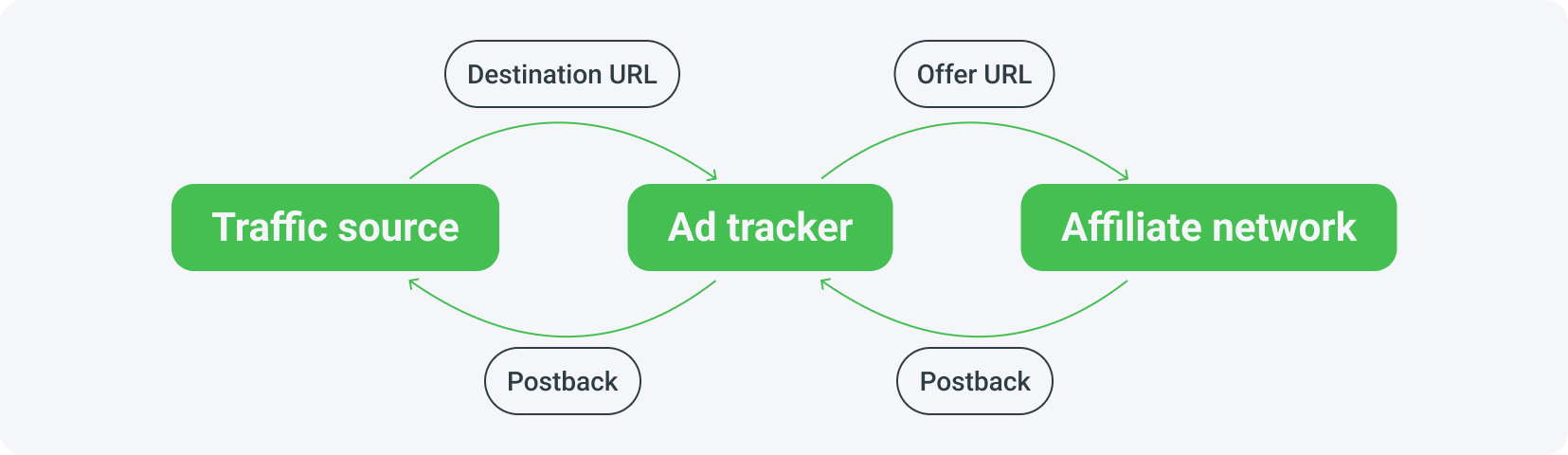
The key step is placing a prepared script on your server. Because postback runs on GET technology, you freely configure which parameters attach to your link, each carrying one specific value. If you don't run your own tracker yet, follow the steps in how to set up a tracker.
A configured postback URL might look like this — this setup sends five types of data to your server:
http://www.yourdomain.com/script.php?subID=[transaction_id]&program=[program_id]&name=[program_name]&status=[status]&payout=[payout]
where:
yourdomain.com — your tracking domain, usable both in the cloud and on your own tracker,
the "?" sign — separates the main part of the link from the tracking parameters,
the "&" sign — separates individual tracking parameters from each other,
subID, program, name, status, payout — tracking parameters that pass different values,
[transaction_id], [program_id], [program_name], [status], [payout] — tokens replaced with real values when the link is activated.
Which parameters are available in MyLead?
MyLead's Postback API offers 15 GET parameters that cover the full lifecycle of a lead. They range from identifiers like transaction ID and program ID, through financial data such as payout and currency, to geolocation values like IP and country code, plus five custom ml_sub parameters for your own tracking. You select only the data you need.
| Parameter | Description |
|---|---|
| [transaction_id] | Unique transaction identifier |
| [program_id] | Program identifier |
| [program_name] | Name of the program |
| [program_config_id] | Configuration identifier in the program |
| [payout] | Lead rate expressed in pennies |
| [payout_decimal] | Lead rate expressed as floating point |
| [status] | Lead status |
| [currency] | Currency |
| [ip] | IP of the generated lead |
| [country_code] | Country code from which the lead was generated |
| [ml_sub1] | Custom ID ml_sub1 added to the tracking link |
| [ml_sub2] | Custom ID ml_sub2 added to the tracking link |
| [ml_sub3] | Custom ID ml_sub3 added to the tracking link |
| [ml_sub4] | Custom ID ml_sub4 added to the tracking link |
| [ml_sub5] | Custom ID ml_sub5 added to the tracking link |
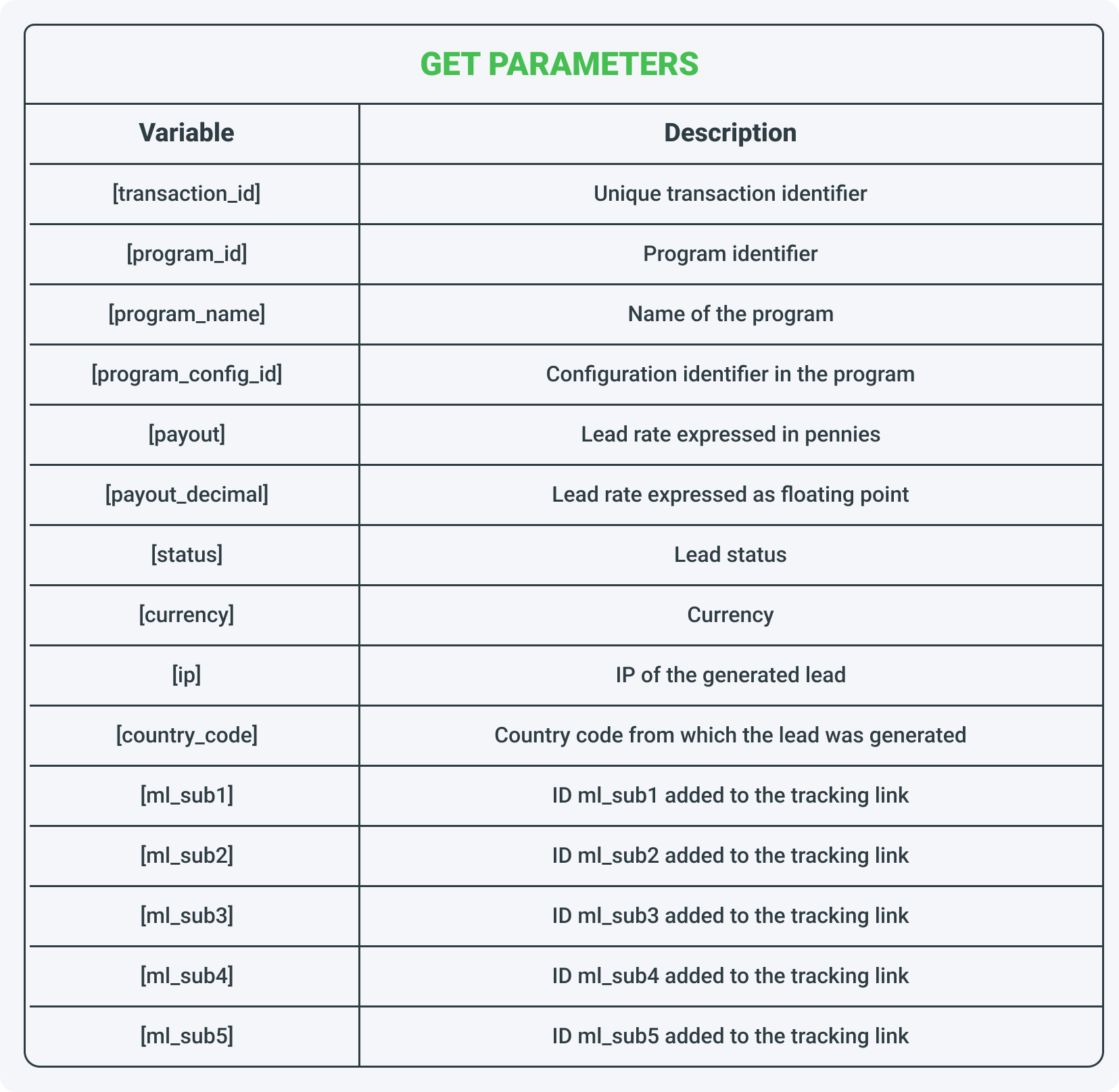
We publish a separate article dedicated to Postback API configuration, with detailed steps and practical tips for implementing this technology on your server.

How can you use the Postback API in affiliate marketing?
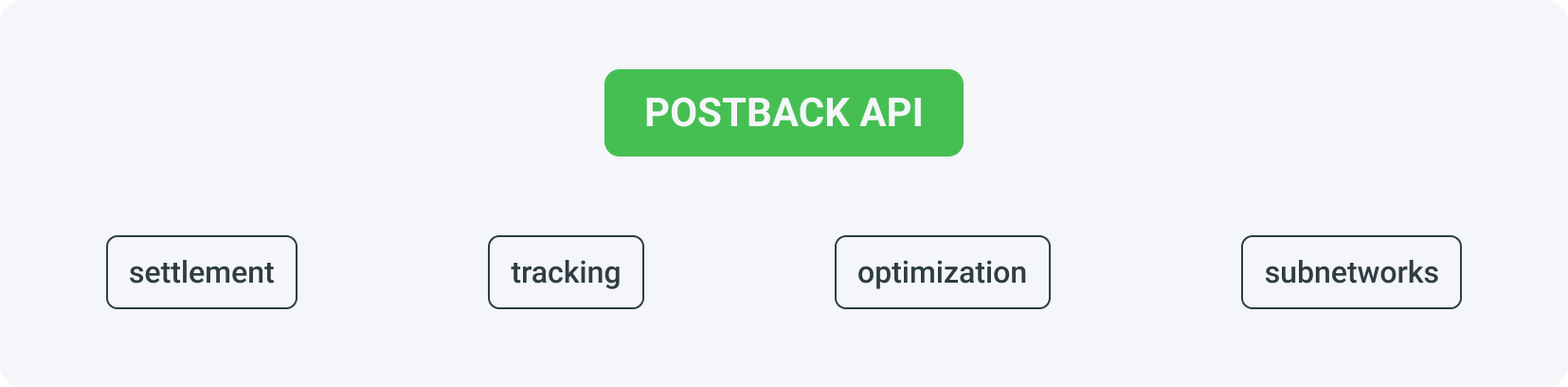
The Postback API has four main uses in affiliate marketing: settling commissions with partners, tracking conversions across traffic sources, optimizing campaigns based on real-time feedback, and connecting external sub-affiliate networks. Because data arrives instantly, you can identify profitable channels, cut underperforming ones, and scale what works without guessing.
Settlement with partners
Settlement with partners lets you involve third parties in promotion and earn a share of their commission. You generate profit when people you recruit promote offers through your referral link. This model works especially well in the financial niche, where you first promote bank accounts or loans yourself, then expand reach through additional publishers in your network.
To find partners, use the ready-made banners in your publisher panel, including images showing total MyLead earnings that build your credibility. Promote your offer on money-making forums and Facebook groups, and guide less experienced recruits through the basics. Learn the mechanics in the MyLead referral program.

Conversion tracking
Conversion tracking with the Postback API gives publishers full visibility into campaign results in real time. You see exactly which traffic sources and marketing channels generate the most valuable conversions, so you can adjust strategies based on accurate data instead of estimates. This eliminates wasted spend and identifies your most efficient actions immediately.
Deeper conversion analysis reveals how users behave, letting you build more targeted, personalized campaigns and maximize profit from every traffic source.
Campaign optimization
Campaign optimization uses Postback API feedback to refine your activity while it is running. When a campaign underperforms, you react immediately — changing traffic channels, target groups, or ad creatives based on live results. You can also test new strategies and monitor their outcomes, discovering combinations that lead to higher profits.
Treat each adjustment as an experiment: change one variable, measure the postback data, and keep what improves results. This disciplined loop separates scaling campaigns from stagnant ones.
Connecting sub-affiliate networks
The Postback API lets external networks integrate with MyLead as a sub-affiliate network — a partner that works with MyLead like a regular publisher. A sub-affiliate network helps its own publishers monetize blogs, websites, and social channels by joining programs from various affiliate networks, while handling support and payouts on their behalf.
Sub-affiliate networks have their own publishers, who don't need to register in the main network and communicate with the system only through the subnetwork. This increases reach and results for everyone involved. Read more about sub-affiliate networks.
What should you keep in mind before implementing the Postback API?
Before implementing the Postback API, account for three requirements: technical skill, security, and server capacity. The integration demands programming knowledge to configure and maintain, restricted access so notifications arrive only from trusted MyLead IP addresses, and a server efficient enough to handle high traffic. Without these, data accuracy and campaign safety are at risk.
Technical knowledge — Postback API is an advanced tool. Ensure you can configure and maintain the integration; less experienced users may struggle during implementation.
Security — make sure notifications come only from specific, trusted IP addresses. Receiving data from untrusted sources exposes your data and campaigns to risk.
Server requirements — Postback API needs appropriate systems on your server, built by you or on request. Keep your servers efficient and scalable enough to handle high traffic.
Set up your Postback API now and automate conversion tracking across every campaign.
Key takeaways
Postback is server-to-server (S2S) tracking that transmits conversion data in real time, without cookies or pixels.
MyLead's Postback API offers 15 GET parameters — you receive only the data you choose, from transaction ID to country code.
Four core uses: settling commissions with partners, conversion tracking, campaign optimization, and connecting sub-affiliate networks.
Real-time feedback lets you cut underperforming channels and scale profitable ones without guessing.
Implementation requires technical skill, IP-restricted security, and a scalable server.
FAQ
1. What exactly is Postback API in affiliate marketing?
Postback API is an advanced system that transmits real-time data about new leads directly to your server. It works by placing a prepared script on your server, which synchronizes conversions between the affiliate network and your own tracking systems.
2. What data can I track with the MyLead Postback URL?
MyLead's postback runs on GET technology and offers 15 parameters. You can receive transaction IDs, program names, lead statuses, payouts, currency, and the IP or country code of each generated lead.
3. Do I need technical skills to set up the Postback API?
Yes. Implementing a Postback API requires technical knowledge, because you create and maintain the receiving systems on your own server. Less experienced publishers should read the integration guide or contact MyLead support.
4. How does Postback API help optimize my campaigns?
Because the data arrives in real time, you instantly see which channels and traffic sources convert best. You then scale what works and cut what doesn't — track the right key metrics and analytics tools to optimize faster.
5. Can I use Postback API to build a sub-affiliate network?
Yes. The Postback API lets you integrate with MyLead as a sub-affiliate network, recruit your own publishers, give them tracking links, and settle commissions automatically without them registering on the main platform.
6. How can I make my Postback integration secure?
Restrict access so your server accepts notifications only from specific, trusted MyLead IP addresses. This protects your data and campaigns from untrusted sources.
Summary
Postback in affiliate marketing is the most accurate way to track conversions, because it transfers data server-to-server in real time, independent of cookies. With MyLead's Postback API you can settle commissions, optimize campaigns, and scale a sub-affiliate network — provided you have the technical setup to support it. Create your free MyLead publisher account and put postback to work.
Have any questions? Feel free to reach us through our channels.