
Blog / Archive
How Do You Track MyLead Conversions in Google Analytics with We Can Track?
We Can Track is an affiliate data attribution platform that automatically matches your traffic with MyLead conversion data and pushes it into Google Analytics, Google Ads, Microsoft Ads, Facebook Pixel and Data Studio. Connection relies on a JavaScript tag or WordPress plugin, MyLead is linked through a Postback URL, and the full setup takes 5 to 10 minutes.
This guide walks through the exact steps to connect MyLead to We Can Track, link your website, and activate conversion tracking across Google Analytics and your ad networks.
What you'll learn from this article:
how We Can Track attributes MyLead conversions to your traffic data,
how to connect MyLead through a Postback URL in minutes,
how to integrate conversion data with Google Analytics, Google Ads and Facebook,
which advantages automated tracking gives affiliate publishers.
What is We Can Track and how does it work?
We Can Track is an affiliate data attribution software that links affiliate networks such as MyLead with analytics and advertising platforms. It places SubID parameters (ml_sub) carrying unique click IDs in your affiliate links, then traces every conversion back to its original click. The matched data appears in the We Can Track dashboard and flows into your connected marketing tools.
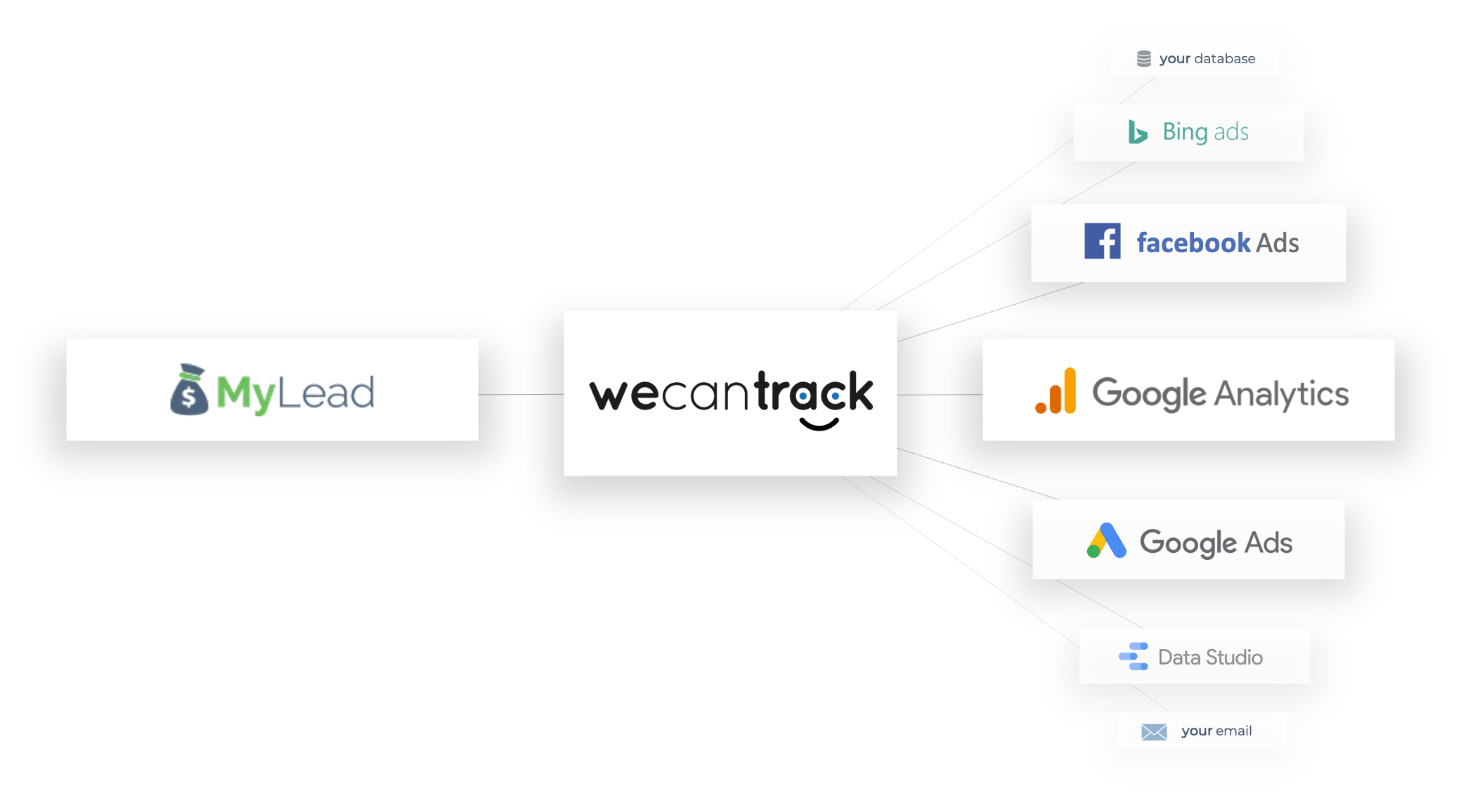
Each conversion is attributed to dimensions including website, page, campaign, traffic source, device, location and content. That detail turns flat MyLead payouts into reporting you can act on, and the SubID is injected into your affiliate links automatically once the tag is live.
How do you connect MyLead to We Can Track?
MyLead connects to We Can Track through a Postback URL — a server-to-server link that reports each conversion without relying on cookies. We Can Track generates the URL under Data Sources > Affiliate Networks > MyLead, and you place it in the MyLead panel so both systems exchange conversion data in real time.
In We Can Track, open Data Sources > Affiliate Networks > MyLead.
Click Add New Account and give the network account a name.
Click Generate Postback URL and copy it.
In MyLead, go to For Webmasters > Postback and add a new Postback URL.
Set Postback Status to Active, Lead Status to Any, then paste the URL.
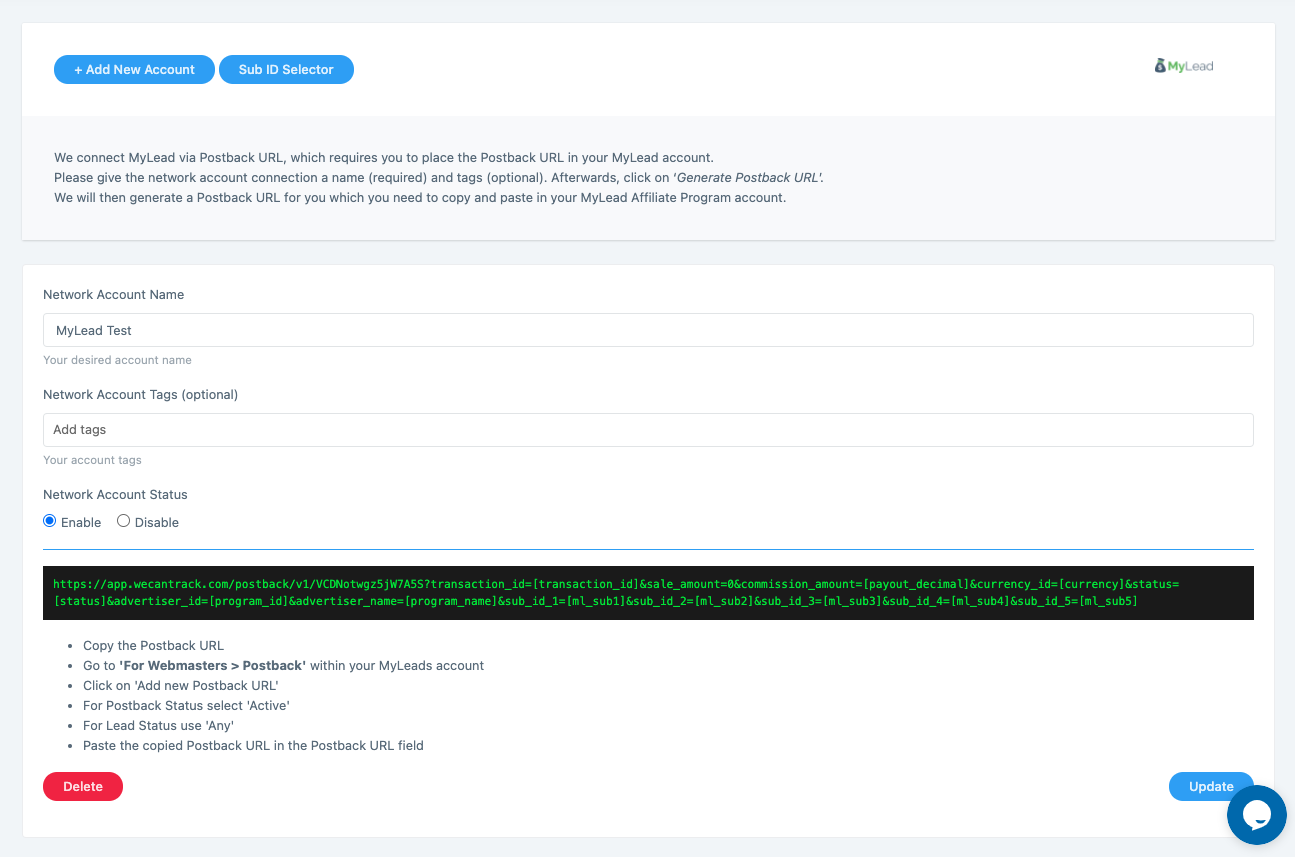
The Postback URL carries parameters such as transaction_id, payout and ml_sub1 to ml_sub5, so every lead maps to its source. For background, see Postback/API configuration and how postback works in affiliate marketing.
How do you connect your website to We Can Track?
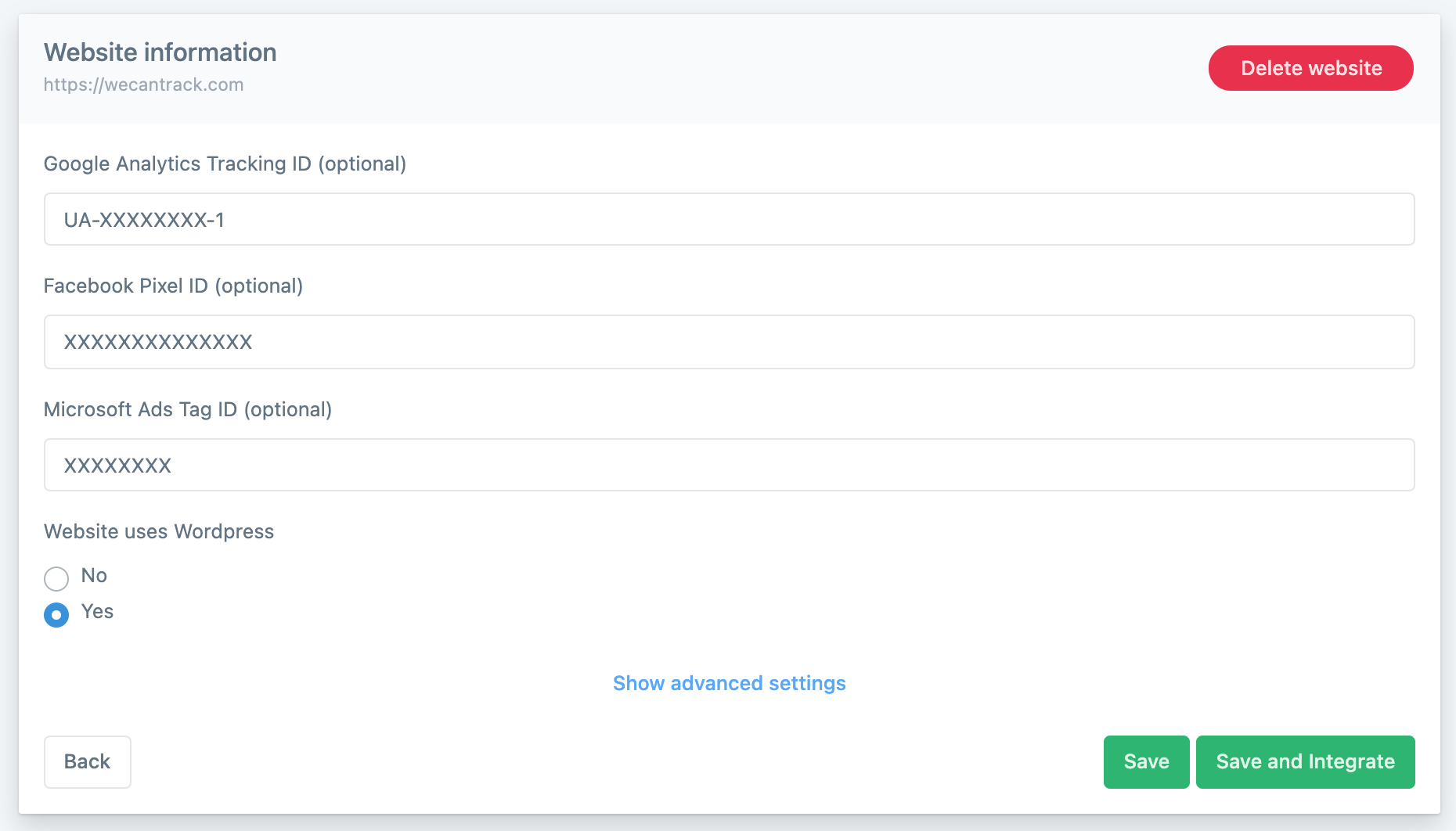
Your website is the source of the traffic data We Can Track matches against MyLead conversions. The platform registers your exact domain under Data Sources > Websites, where optional Google Analytics, Facebook Pixel and Microsoft Ads identifiers route conversions into those platforms. WordPress sites use a plugin; other sites use a JavaScript tag in the header.
Open Data Sources > Websites and click Add New Website.
Paste your exact website domain.
Add your Google Analytics Tracking ID, Facebook Pixel ID and Microsoft Ads Tag ID (optional).
Indicate whether the site runs on WordPress.
Click Save and Integrate.
On WordPress, install the We Can Track plugin (the link appears after saving).
On other sites, place the JavaScript tag in the header.
If you also run a redirect tracker beside We Can Track, learn how to set up a tracker for full-funnel data.
How do you activate the integration features?
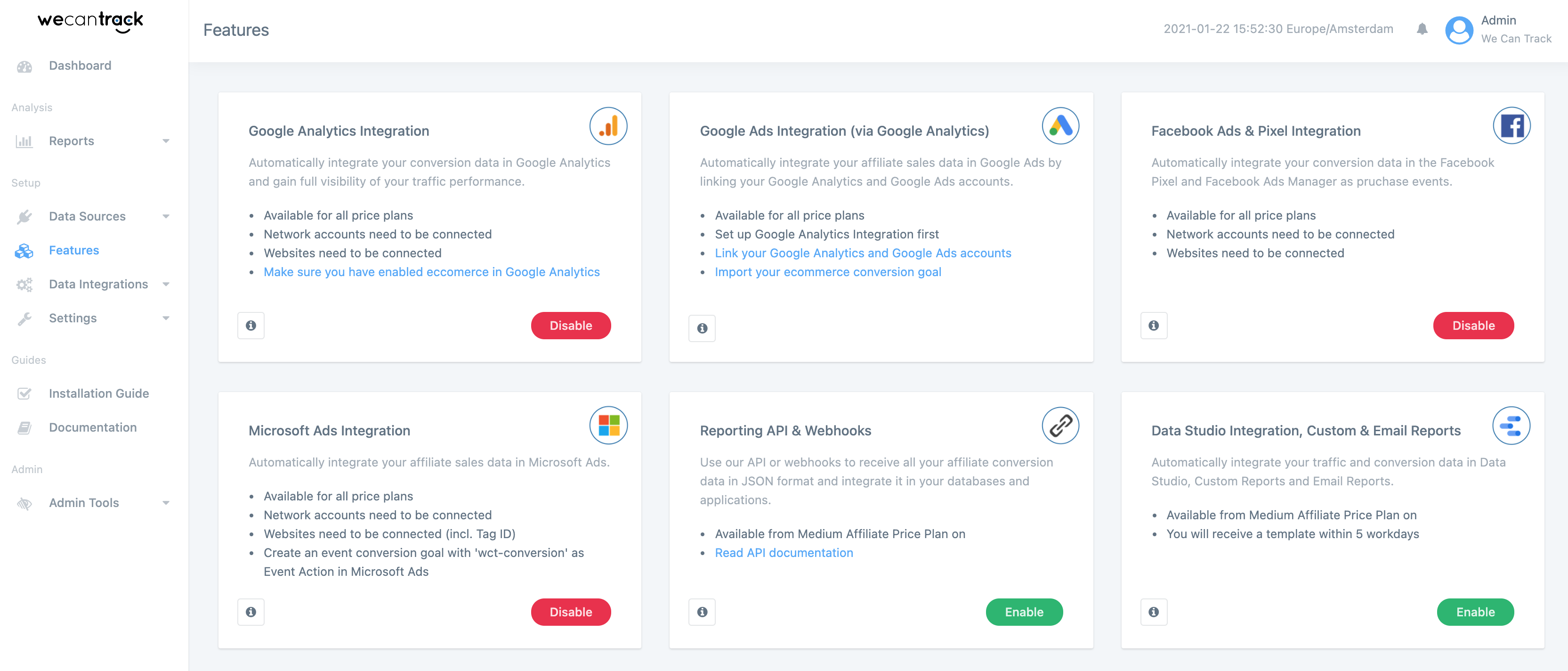
Integrations are switched on individually in the Features section of We Can Track. Each card — Google Analytics, Google Ads, Facebook Ads & Pixel, Microsoft Ads, Reporting API and Data Studio — lists its requirements and an enable button. Connected networks and websites are prerequisites, and the API and Data Studio features start from the Medium Affiliate price plan.
Google Analytics Integration — full visibility of traffic performance, available on all plans.
Google Ads Integration (via Google Analytics) — link your GA and Google Ads accounts first.
Facebook Ads & Pixel Integration — conversions logged as purchase events.
Microsoft Ads Integration — needs an event conversion goal named wct-conversion.
Reporting API & Webhooks — conversion data in JSON, from the Medium Affiliate plan.
Data Studio, Custom & Email Reports — template delivered within 5 working days.
What are the advantages of using We Can Track?
We Can Track gives affiliate publishers the automation capabilities advertisers already have. With conversion data inside ad networks, publishers automate bidding through machine learning, build retargeting audiences and read full attribution reports in Google Analytics — without ongoing maintenance once the tags are live.
Automated bidding — ad networks optimize toward profit with machine learning, no constant manual tweaks.
Smarter retargeting — exclude users who already converted or target converter lookalike audiences.
Deeper Google Analytics reporting — conversions attributed across every available dimension.
Custom dashboards — combine session, click and conversion data in Data Studio.
These insights complement the key metrics every affiliate should track, and a 30-day trial lets new users test every feature first.
Key takeaways
We Can Track links MyLead with Google Analytics, Google Ads, Microsoft Ads, Facebook and Data Studio in one attribution flow.
Setup takes 5 to 10 minutes: a Postback URL for MyLead plus a JavaScript tag or WordPress plugin on your site.
SubID parameters (ml_sub) attribute every conversion to website, page, campaign, traffic source, device and location.
Conversion data inside ad networks unlocks automated bidding, retargeting audiences and richer reporting, with a 30-day trial for new users.
FAQ
1. What is We Can Track?
We Can Track is an affiliate data attribution platform that matches your traffic with conversion data from networks such as MyLead and forwards it to Google Analytics, ad platforms and Data Studio.
2. How long does the We Can Track setup take?
The full setup takes 5 to 10 minutes: connect MyLead via Postback URL, add your website, and place the JavaScript tag or WordPress plugin.
3. Does We Can Track work with WordPress?
Yes. WordPress sites install the We Can Track plugin, while other sites add a JavaScript tag in the header; you select the option when adding your website.
4. Is there a free trial?
Yes. New users get a 30-day trial during which every We Can Track feature can be fully tested before choosing a paid plan.
Summary
We Can Track turns MyLead conversions into actionable data across Google Analytics, your ad networks and Data Studio, with a setup that takes minutes and needs no ongoing maintenance. If you do not have a publisher account yet, create your free MyLead account and start tracking every conversion from day one.
Have any questions? Feel free to reach us through our channels.