Blog / Affiliate marketing
How Do You Download Your Affiliate Link in MyLead?
This article is updated regularly
Last update:
22 August 2025
An affiliate link is a unique tracking URL that assigns every click and conversion to a publisher's account. Downloading an affiliate link in MyLead takes three steps: creating a free publisher account, joining a campaign from the catalogue, and copying the generated link from the configurations panel. The whole process takes a few minutes and needs no coding.
This guide walks you through each step — from sign-up to your first ready-to-share affiliate link — inside the MyLead publisher panel. You will also learn how to add extra tracking links for the same campaign.
What you'll learn from this article:
what an affiliate link is and who can generate one in MyLead,
how to create a free publisher account step by step,
how to join an affiliate campaign and add a traffic source,
how to copy your link and create additional tracking links.
How do you download an affiliate link in MyLead?
Downloading an affiliate link in MyLead follows three stages: account registration, joining an affiliate campaign, and copying the generated link. Only registered publishers can generate links, because each URL is tied to an individual account ID. MyLead creates the first link automatically once Support approves the campaign request, so no manual setup is needed.
If you are new to this model, affiliate marketing pays you a commission for every action your link produces — a sale, a lead or an install. MyLead aggregates over 2,600 campaigns, so most publishers find an offer that fits their audience. Start with our affiliate marketing for beginners guide.
Step 1: How do you create a MyLead account?
Creating a MyLead account is the prerequisite for generating any affiliate link, since only registered publishers reach the campaign catalogue. Registration is free and runs in three stages: login data, e-mail activation, and personal details. After confirming the activation link sent by e-mail, the publisher panel becomes fully available.
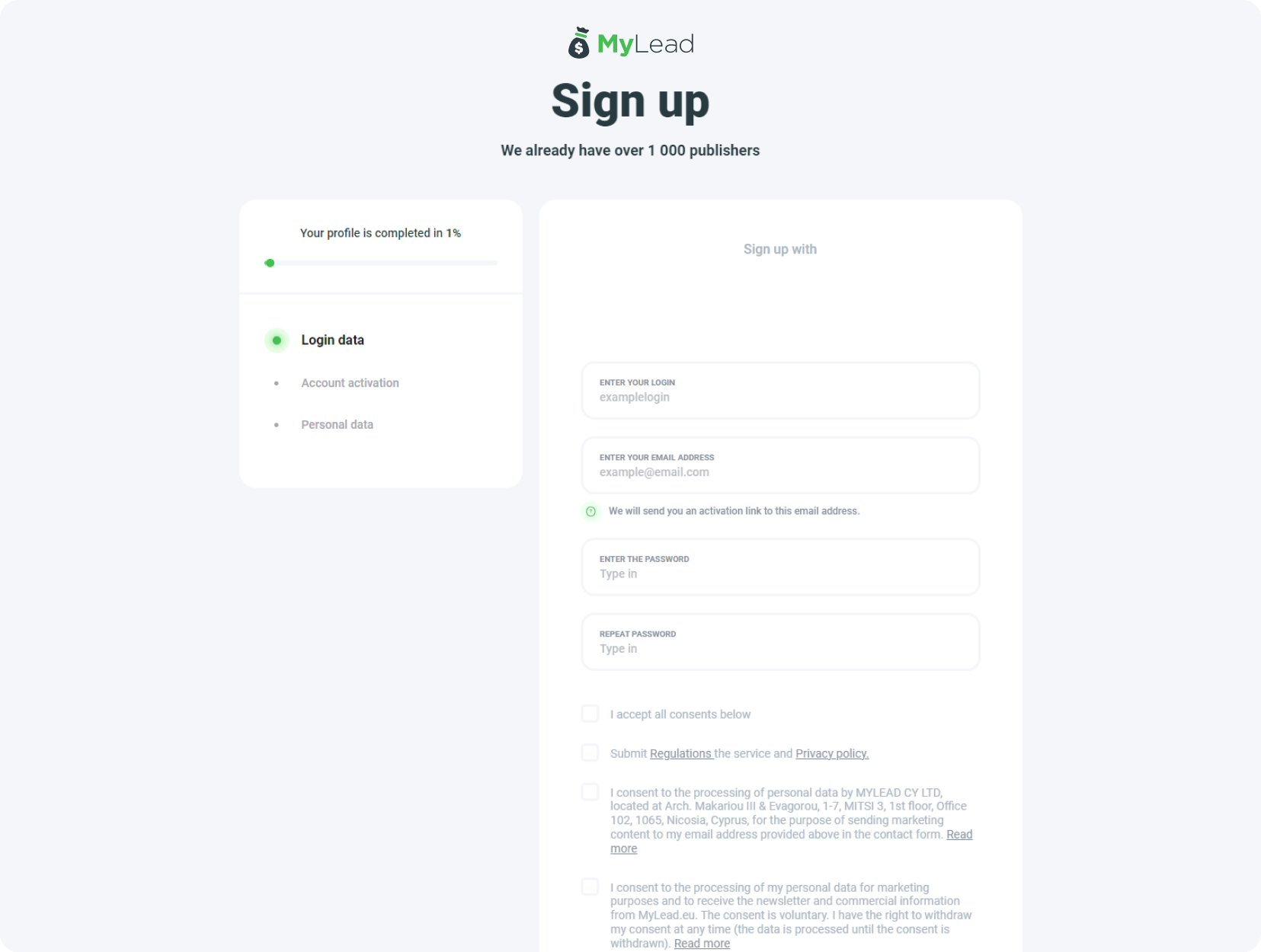
Go to the registration form, enter your login and e-mail, set a password and accept the required consents. Create your free MyLead publisher account, then confirm it with the token from your inbox. Need details? Follow the full register on MyLead walkthrough.

Once your account is active, sign in to the publisher panel to start choosing campaigns.

Step 2: How do you join an affiliate campaign?
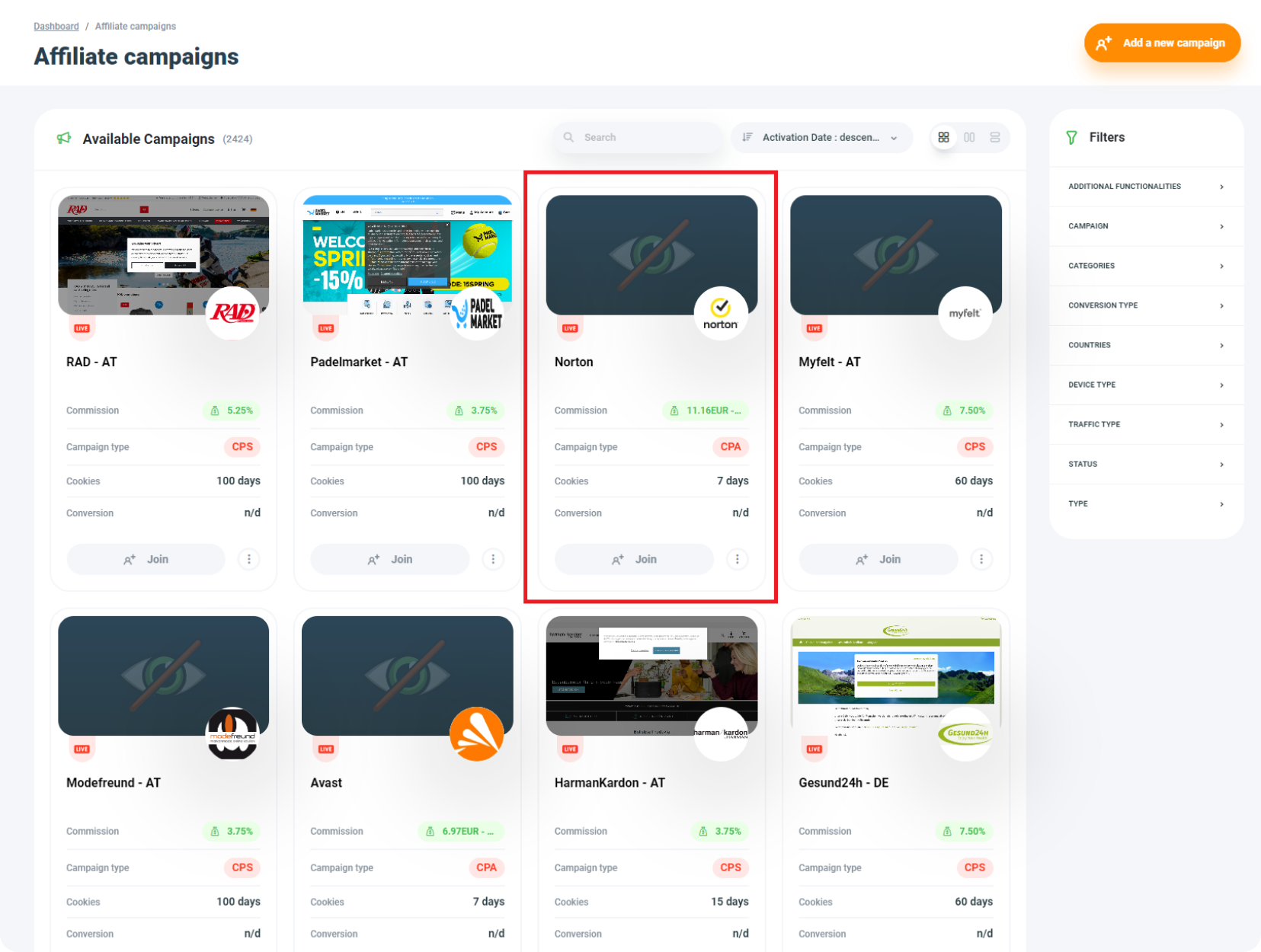
Joining an affiliate campaign means requesting access to a specific offer for promotion. In the publisher panel, the Affiliate marketing tab opens the Affiliate campaigns list, where each tile shows the commission, billing model (CPA, CPL or CPS), cookie lifetime and conversion type. Selecting Join starts the access request.
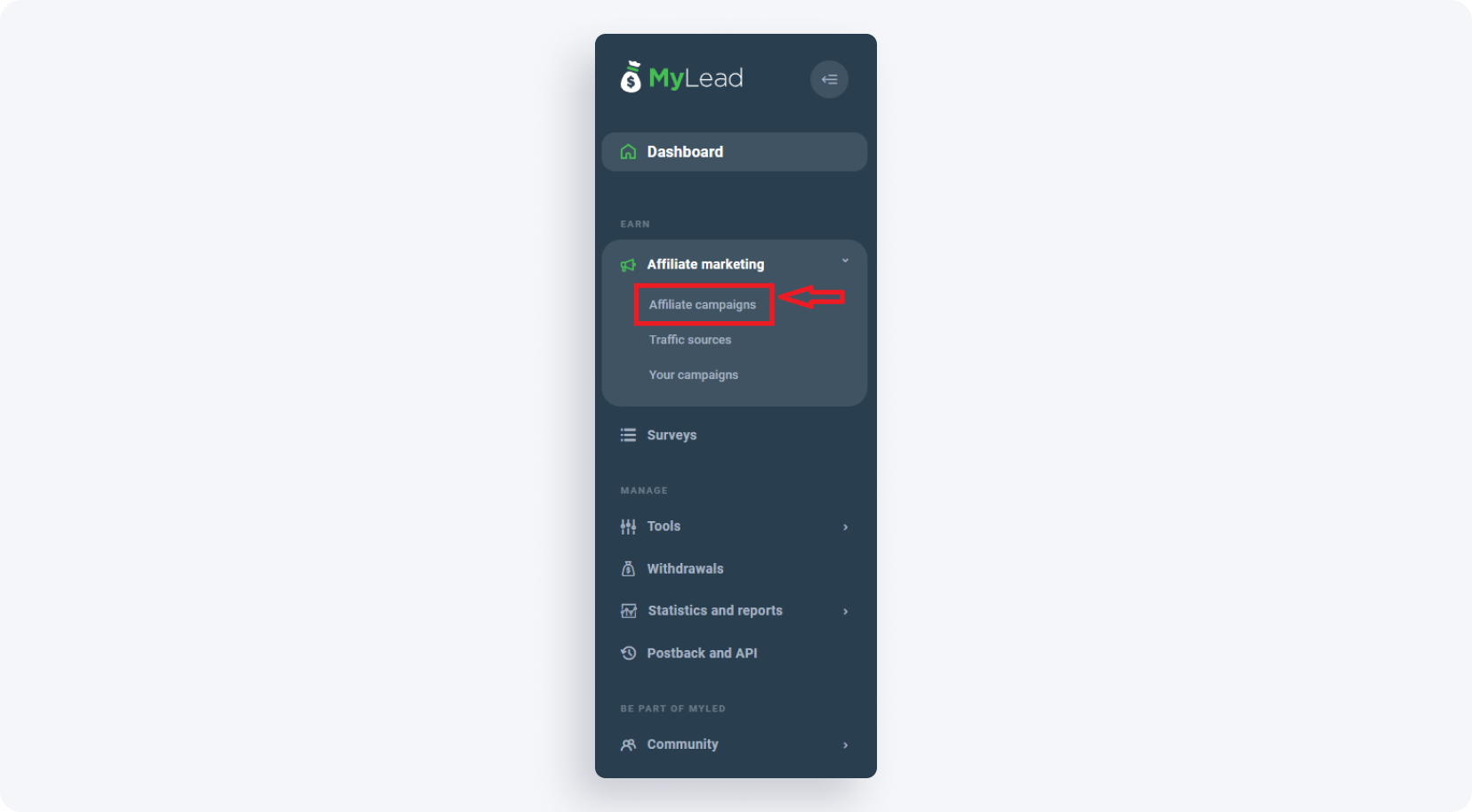
MyLead lists over 2,600 campaigns across niches such as finance, dating, e-commerce and antivirus. Browse the catalogue, filter by GEO and payout, then open an offer to see its details and the My configurations section. Compare offers faster with our affiliate campaigns guide.
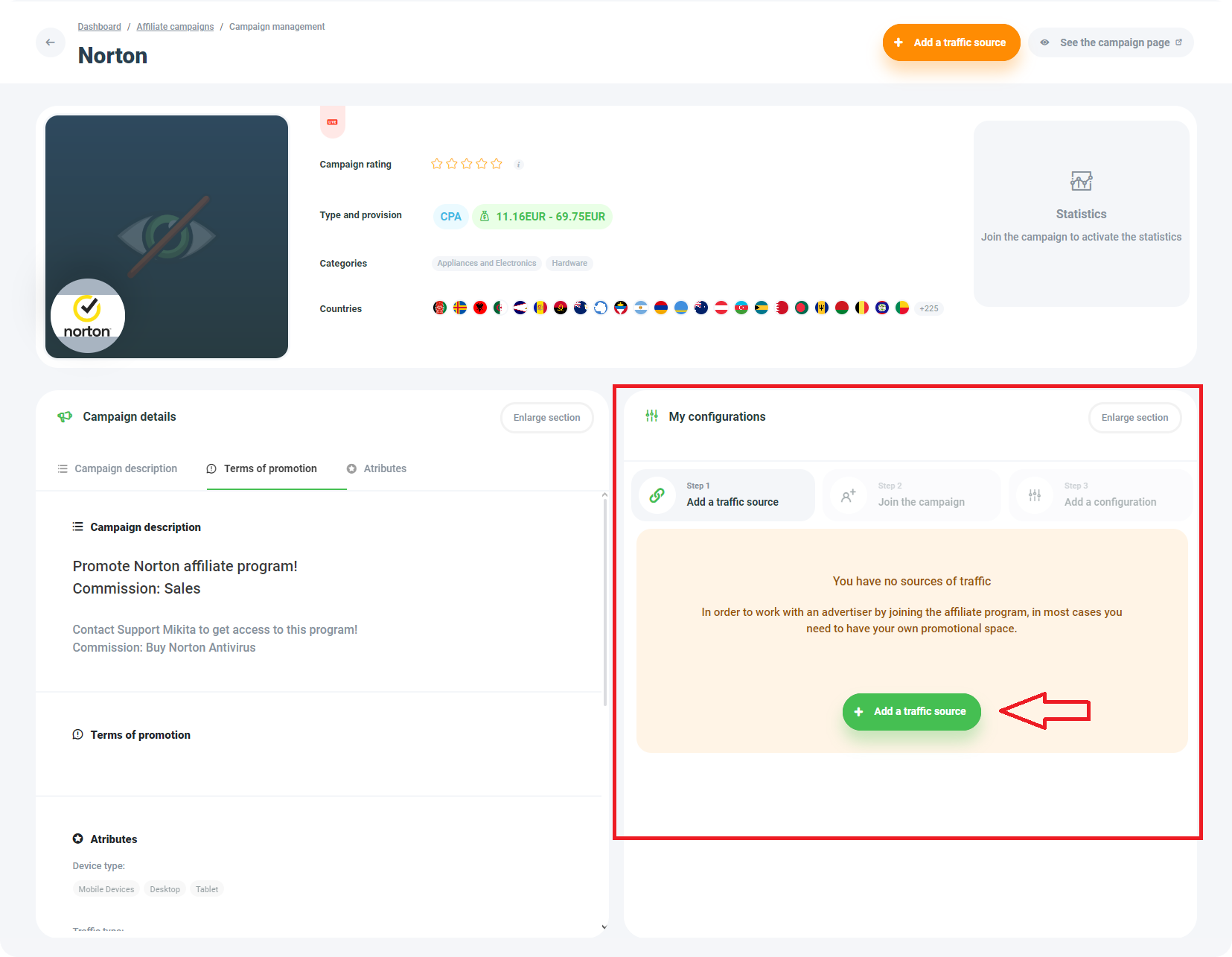
How do you add a traffic source?
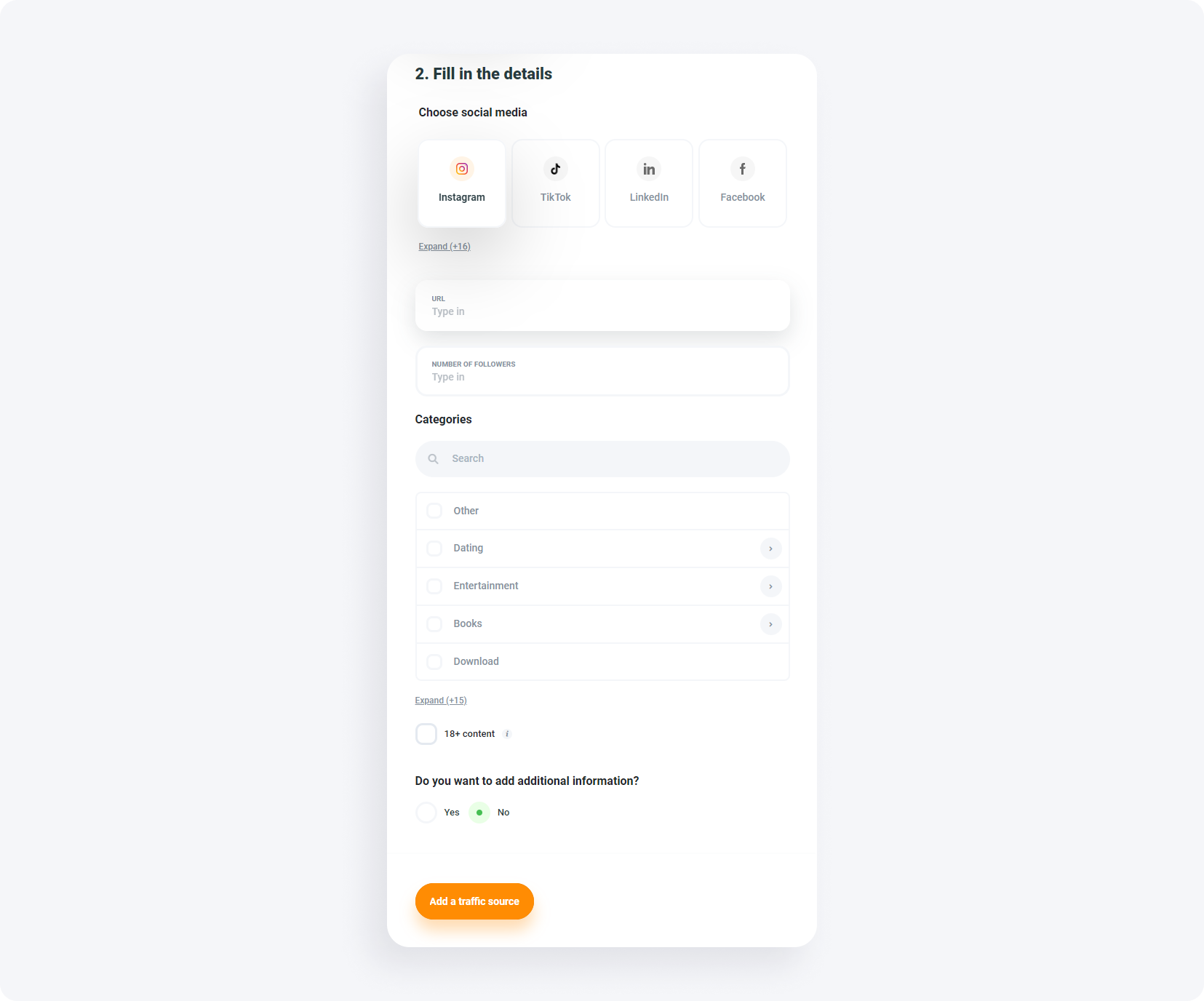
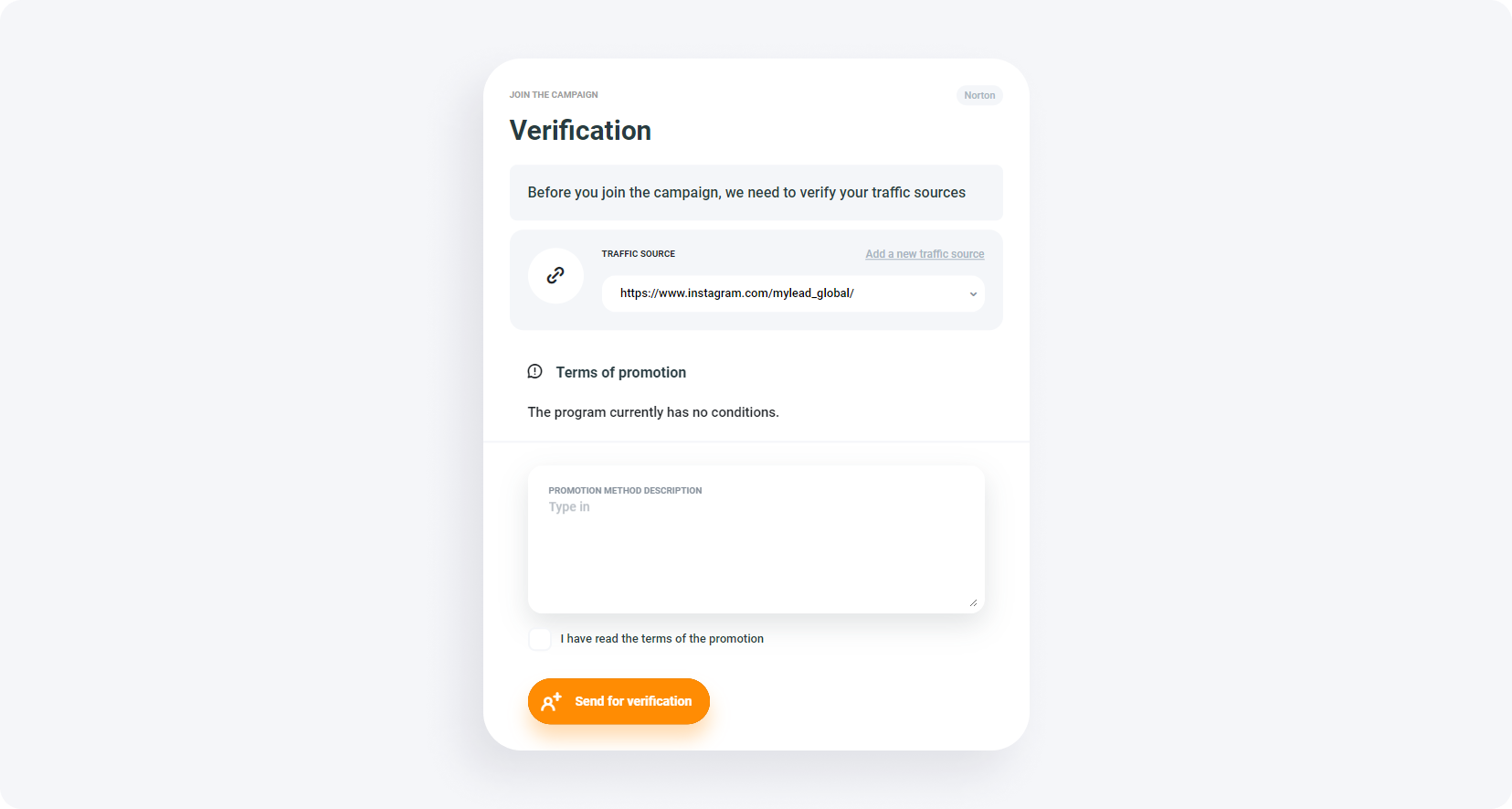
A traffic source is the place where promotion happens, and most campaigns require at least one before granting access. MyLead supports nine source types: Page, Blog, Forum, Social Media, Mailing database, Mobile application, PPC/Paid traffic, Network and Other. After choosing a type and filling in the URL and details, the source is sent for verification.
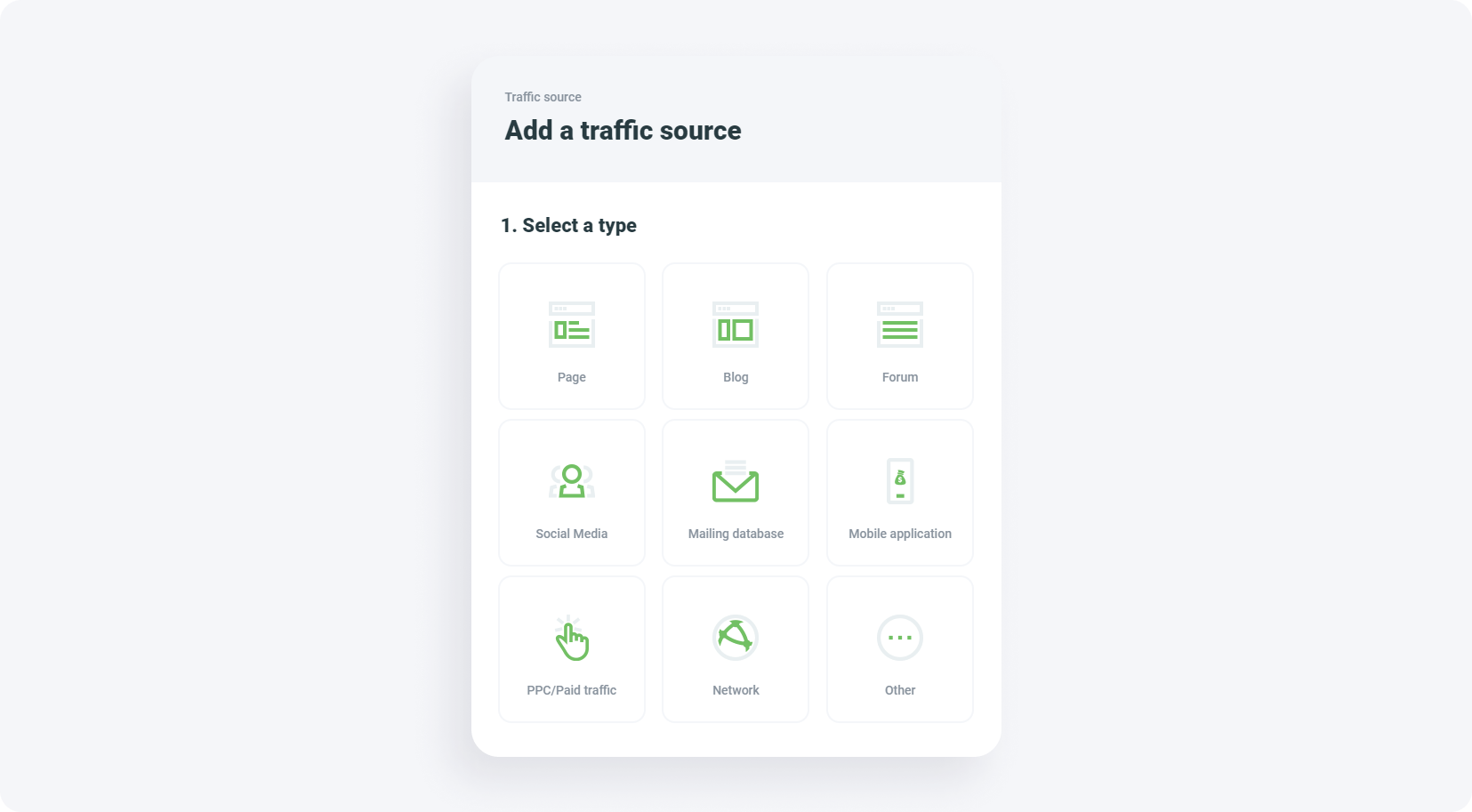
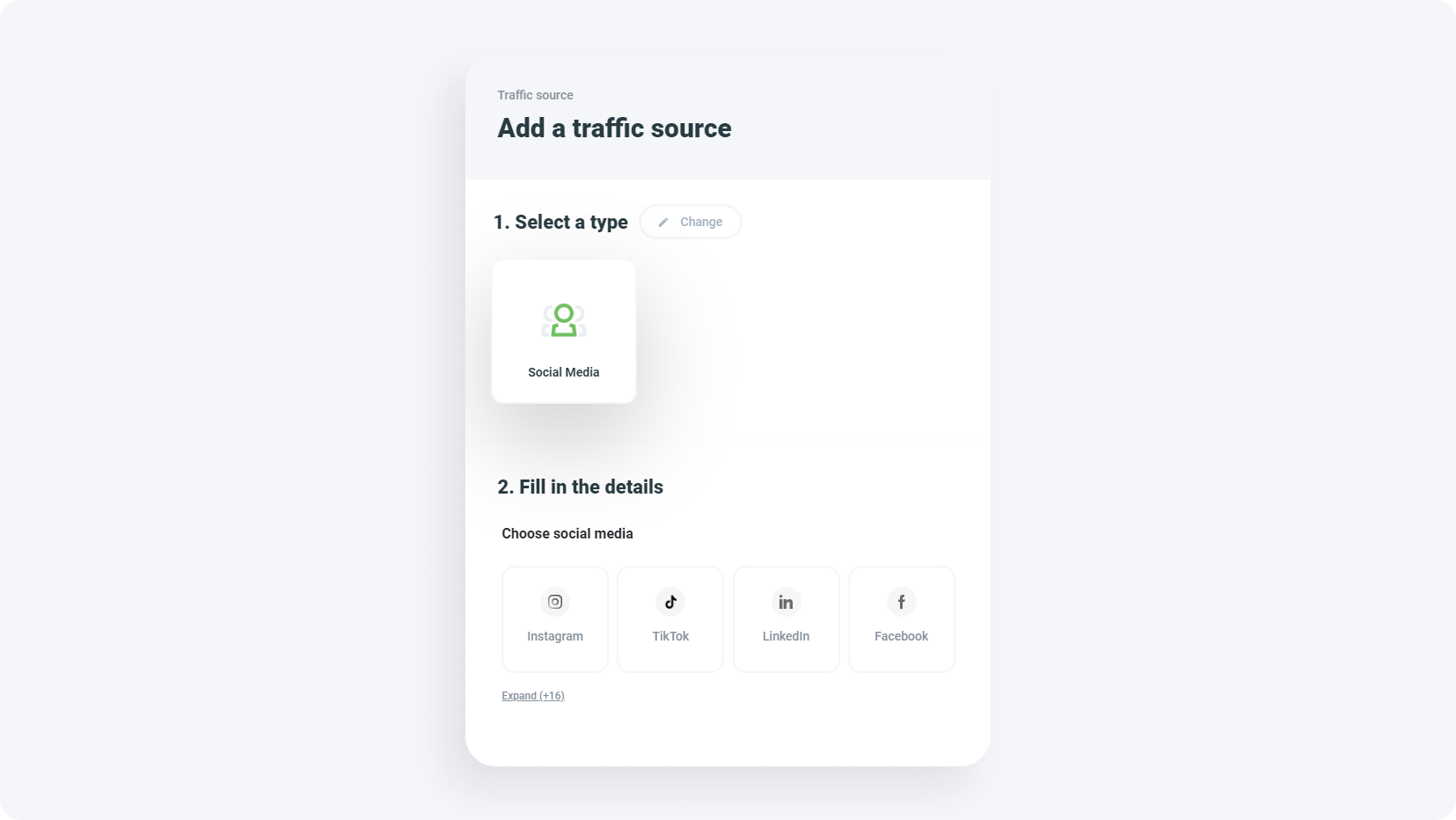
Describe your promotion method in detail — Support reads this before approving access, usually within a few hours (longer over weekends). Once approved, you are notified in the panel's top-right corner and by e-mail. Learn to set sources up correctly in our traffic source guide.
Step 3: How do you copy your affiliate link?
Once Support approves the campaign, MyLead generates the first affiliate link automatically. It appears in the affiliate program view, below the coloured tiles, in the Your configurations section. Copying the link is the final step — pasting it into content, ads or social posts starts the tracking immediately for every click.

To build another link for the same campaign, open URL Addresses in My configurations, name the new setup (the name is visible only to you) and pick a tracking domain — the base of the link, e.g. https://clicks1.pro. Keep the default domain for safety; if it is ever blocked, switch to another from the list. Separate links per channel make results easier to read, so pair them with a tracker for full attribution.
Want to see what else you can promote with MyLead? Go to the campaign list and pick your next offer.

Prefer to master the fundamentals first? Read the most important information about affiliate marketing.

Key takeaways
Only registered MyLead publishers can generate an affiliate link, and registration is free.
The path never changes: create an account, join a campaign, copy the link.
Your first link for a campaign is generated automatically after Support approval.
Most campaigns require a verified traffic source before they grant access.
Use separate configurations to create extra links and track channels, then withdraw the money you earn.
FAQ
1. Do I need a website to get an affiliate link?
No. MyLead accepts nine traffic-source types, including social media, mailing databases and mobile apps, so a single profile or page is enough to begin.
2. How long does campaign approval take?
Support usually approves a traffic source within a few hours, though it can take longer over weekends. You are notified in the panel and by e-mail once access is granted.
3. Is generating an affiliate link in MyLead free?
Yes. Registration, the campaign catalogue and link generation cost nothing — MyLead never charges publishers, you only earn commissions.
4. Can I have more than one link per campaign?
Yes. Open URL Addresses in My configurations to add named links with different tracking domains, which makes measuring each promotion channel separately much easier.
Summary
Downloading an affiliate link in MyLead comes down to three steps: register a free publisher account, join a campaign with a verified traffic source, and copy the link from Your configurations. The first link is generated automatically after approval, and extra links let you track every channel. Sign up and copy your first affiliate link today.
Have any questions? Feel free to reach us through our channels.